How to Make Complex Products Easier to Understand with AI Marketing Visuals

Curriculum Vitae
Specialism
How to Make Complex Products Easier to Understand with AI Marketing Visuals
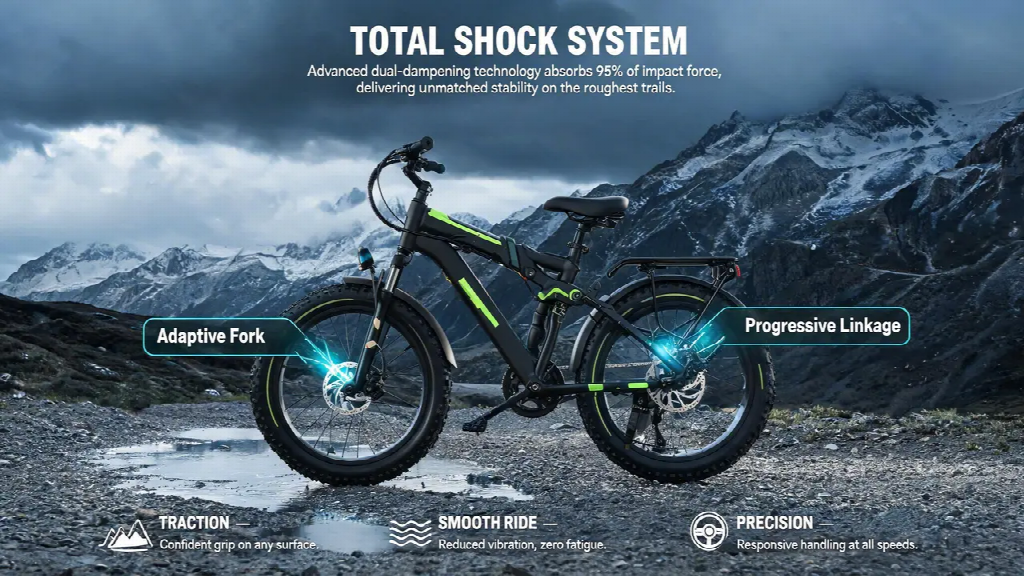
When a product has several components or technical functions, an attractive picture may still leave potential buyers unsure what it does. An ai marketing studio can help marketers develop visual concepts around approved product references. Dreamina combines those references with creative instructions to generate images and videos that introduce a product, its context, or a feature worth exploring.
The goal is to help the right buyer understand the next useful point. Decide which question each visual should address, then use accurate product material wherever the explanation depends on a specific component, interface, or verified result.
Match the visual to a buying question
A technical buyer may need to understand fit, compatibility, operation, or the context of use. Those are different questions. A general image of advanced technology can establish a mood, but it cannot reliably answer all of them. Choose the question before deciding what the visual should contain.
Begin with the part of the buyer's task that is difficult to understand from copy alone. It may concern the placement of a component, the relationship between several elements, or the setting in which a system is used. State that difficulty in a sentence that a product specialist can review.
Then identify the level of precision required. An atmospheric illustration can tolerate a broad interpretation. A connector, operating interface, dimension, or technical sequence may need an approved photograph, drawing, or recording. Select the source according to its informational role instead of applying the same production method to every asset.
This distinction also helps control scope. A campaign introduction does not need to become a complete installation guide. A detailed diagram should not be overloaded with lifestyle storytelling. Give the asset enough information to support its place in the buying journey, then direct the audience to the appropriate next resource.
Separate concept visualization from product documentation
A conceptual visual can explain an opportunity or introduce an application. Documentation establishes what a real product is and how it behaves. Both can be useful in marketing, but the viewer needs to understand which role the material has. A photorealistic treatment does not turn an imagined arrangement into verified evidence.
Create a source list before generation. Identify the approved product views, relevant specifications, current interface material, and any images of actual installations. Mark which details are fixed. This gives the creative team a dependable base while allowing flexibility in background, framing, and campaign treatment.
For a conceptual scene, define what may be invented. A neutral environment or simplified background may be appropriate. A new functional component is a different matter. Instructions should make the intended boundary clear, and the output still needs checking because a brief expresses a requirement rather than proving that it was followed.
Keep factual labels and claims tied to their source. Generated text or diagram-like imagery may look convincing while containing errors. Where the information is exact, set it through an editable layout and have the appropriate reviewer verify it. The visual's polish should not determine whether the claim is accepted.
Use references to communicate the product before adding style
Product references need to show the features that matter to the planned view. A distant image may be insufficient for a close component shot. A front view may leave the side profile unclear. Provide useful material before asking for a complicated scene, and avoid assuming that missing information will be inferred correctly.
The studio lets a team upload product images, add creative instructions, and select an advertising style. It also provides examples for product listings, commercial concepts, and social material. These are ways to organize creative exploration around existing assets rather than starting with an unrelated generic scene.
Write the product requirements separately from the style request. The first identifies what must remain recognizable and accurate. The second describes composition, atmosphere, and the intended use of the visual. This separation makes a result easier to diagnose when it follows the desired mood but alters an important feature.
Keep the first concept simple enough to inspect. A complex background, strong perspective, and multiple moving objects can obscure a product error. Once the essential representation works, additional treatment can be evaluated on its contribution to the marketing task instead of masking uncertainty in the source.
Give each asset a different informational job
A launch page may need an introductory visual, a product view, an application explanation, and supporting evidence. These should not all be variations of the same hero image. Their relationship is editorial: each answers a question the reader is likely to encounter next.
The introductory asset can establish relevance through a clear context or problem. The product view should make identity and important features available. An application visual can explain where the product fits. Evidence should come from appropriate actual material when the claim depends on measured or observed results.
The workspace supports creating images and videos from templates, references, or written ideas. It can also reuse product and avatar assets across projects. Reuse helps a team begin from selected material, but each output still needs a role and an accuracy check. A common source does not make every generated variation suitable.
Review the set as a sequence of questions and answers. If several assets repeat an introductory message while an important product question remains unanswered, producing more decorative variants will not close the gap. Commission the missing explanation or use a better source for that specific task.
Make motion explain a relationship
Movement can show an orientation, reveal a sequence, or direct attention between elements. It can also imply behavior the product does not have. Decide which change the viewer should understand before generating a technical promotional clip. A request for dramatic motion leaves too much of the explanation undefined.
Use actual footage for a claimed demonstration when accuracy depends on the observed process. Generated footage can support a conceptual introduction or visualize an idea, with that role made clear. The source choice should follow what the audience is being asked to believe, not simply which route produces a polished clip faster.
The studio can use a reference video to guide an ad concept's structure and style. Treat the reference as creative direction rather than evidence about the featured product. A compelling sequence from another category may have a useful rhythm while making the wrong assumptions about this product's operation.
Keep copy and motion coordinated. A technical term appearing too briefly may be unreadable, while a long explanation over a busy scene can divide attention. Give the viewer time to inspect the relevant feature. If the scene requires extensive narration to explain its basic geometry, reconsider the view.
Organize review around the kind of mistake
Ask a product specialist to review technical identity and meaning, and ask the creative team to assess hierarchy and communication. Those reviews overlap, but they should not substitute for one another. A correct component can still be presented unclearly; a clear composition can still contain the wrong component.
Write feedback as an observation and its consequence. Saying that a part is missing explains more than requesting a realistic image. Saying that the use environment suggests an unsupported application explains more than requesting a different background. Specific comments give the revision a result that can be checked.
Review changes in context. A new crop may remove the feature that explained the product's purpose. A revised headline may imply a broader capability than the approved image was intended to support. Approval belongs to the assembled asset and its message, not to isolated parts saved in different folders.
Avoid making every correction a new concept. Preserve useful work when a local or layout revision is enough. Conversely, do not keep patching an approach whose central premise is wrong. The distinction between an execution problem and a communication problem helps the team spend effort where it matters.
Prepare a handoff that preserves the approved meaning
When an output differs from its source, keep the discrepancy visible until a suitable reviewer resolves it. A creative contributor may not know whether a small opening is decorative or functional. Ask the product owner instead of guessing from appearance. This prevents a visually minor change from becoming a technically important error in the final asset.
For repeated campaigns, keep a short list of features that reviewers frequently need to inspect. That list should come from the actual product and previous corrections, not from a generic demand for realism. It makes later review more focused while leaving the creative team free to explore presentation choices that do not affect the product's meaning.
Keep the source assets, current copy, intended audience, and final version together. Record which product details were checked and which parts of a scene are illustrative. This gives the next contributor enough context to adapt the material without accidentally turning a concept into a stronger factual claim.
Channel adaptation may require a new crop, shorter wording, or another sequence. The studio supports preparing image and video variations for different formats. After adaptation, check whether important labels, proportions, and relationships remain visible. A smaller version does not inherit clarity merely because the original was approved.
Use a simple version history for changes that affect meaning. A new product revision, specification, or use case can make an older visual inappropriate even if it still looks current. Distinguish approved assets from exploratory material so a polished draft is not mistaken for the production source.
AI helps technical marketing when it supports a disciplined division of work. Creative generation develops presentation possibilities; dependable source material establishes the product; specialists verify the details that matter. Bringing those contributions together produces visuals that are appealing, understandable, and useful to the buyer's next decision.





.jpg)


.png)